.svg)


August 18, 2026
Marketing
How to Delete a Repost on TikTok Easily
.svg)


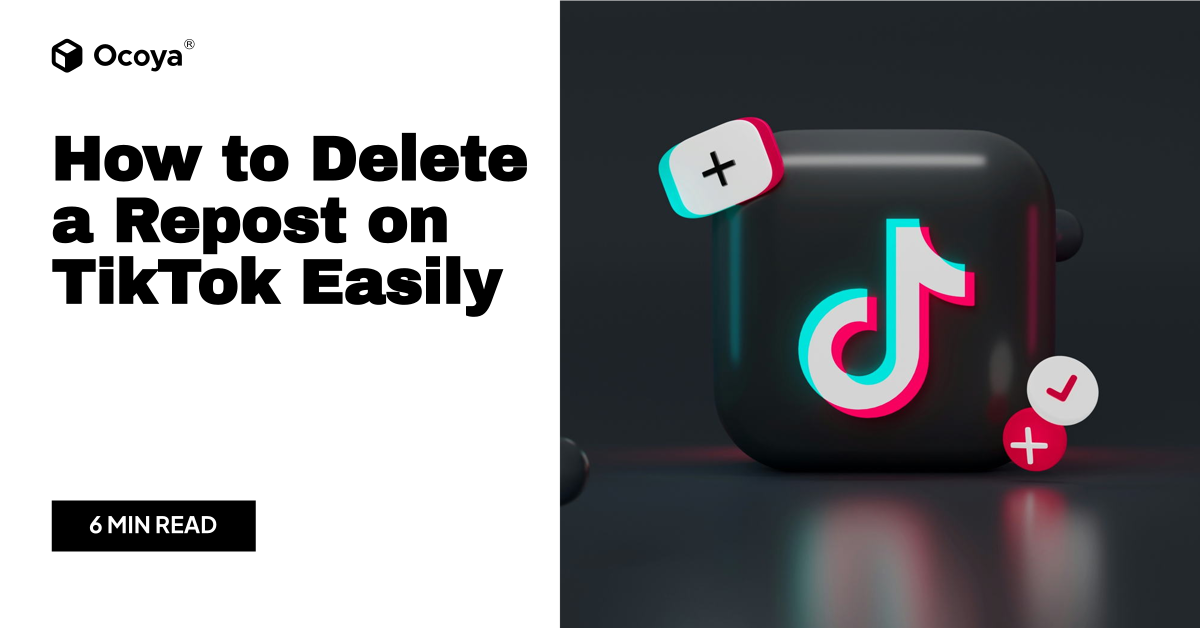
TikTok continues to surge in popularity across the globe, captivating users with its blend of creative content, catchy music, and innovative trends. For many, TikTok isn't just a pastime; it's a platform where people express themselves, engage with others, and even launch careers. With this kind of influence, understanding every facet of TikTok's functionalities becomes crucial, especially when it comes to managing your content. One aspect that often confuses users is the removal of reposted content. This article aims to provide a comprehensive guide on how to delete a repost on TikTok, ensuring your account stays as neat and tailored to your preferences as possible.
On TikTok, a repost essentially is an action where you share content from another creator to your followers, much like retweeting on Twitter or sharing on Facebook. While reposting can be a great way to support other creators or share content you love with your audience, there can be instances where you might want to remove these reposts from your profile or feed. Perhaps the content no longer aligns with your personal brand, or maybe it garnered the wrong kind of attention. No matter the reason, knowing how to delete a repost on TikTok efficiently can help maintain your desired online persona.
Understanding TikTok's Reposting Mechanics
Before diving into the specifics of deleting a repost, it's essential to understand what happens when you repost on TikTok. Unlike traditional social media platforms where shared content appears prominently on your profile, TikTok's approach is slightly different. When you repost a video, it becomes visible to your followers and appears in their For You feed rather than prominently on your own profile or in your personal feed. This distinction is crucial when considering the steps needed to delete a repost.
Reposting is seamless and beneficial in promoting content across TikTok, yet it lacks a direct 'delete repost' button in the app's user interface. This absence often causes users to feel stuck or confused, especially those new to the platform or less familiar with its frequent updates.
Quick Steps to Remove a Repost on TikTok
Below, you'll find a step-by-step guide on how to delete a repost on TikTok, ensuring you clear any unwanted shared content from your influence:
Step 1: Open the TikTok App
Begin by launching the TikTok app on your smartphone. Ensure you're logged into your account where the repost was made.
Step 2: Navigate to Your Profile
Once in the app, go to your profile page by tapping the 'Profile' icon at the bottom right corner of the screen.
Step 3: Access Your Notifications
To find the repost, proceed to the app notifications. Tap on the 'Inbox' which is generally in the navigation bar at the bottom. Look for notifications linked to reposted content as this will often give you the direction you need.
Step 4: Locate the Reposted Video
Your reposted interactions might be logged here. Find the video you wish to delete. This step is crucial; if it's not visible, use alternative TikTok features like searching in your 'Following' list or within the app's internal search engine.
Step 5: Perform Un-Repost Action
Once located, look for the repost button (dual arrows forming a cycle icon which sometimes turns into an 'Undo' marker upon reposting). Select this icon, and it will usually present an option to undo or remove your repost.
Note: If this option isn't available directly, one might need to try another approach, sometimes even contacting TikTok support for assistance if the content violates no rules but remains irremovable through standard means.
Additional Tips for Effective Content Management on TikTok
Managing content on TikTok, especially reposts, goes beyond simply knowing how to delete them. As a TikTok user, implementing strategies that enhance your profile's cohesion will help reap the most from the platform. Below are several tips to manage your content effortlessly.
Curate Your Feed Strategically
Creating a cohesive feed on TikTok can dynamically affect your follower engagement. Reposting is a double-edged sword; while sharing others' content can build community, it must align with your niche and resonate with your audience. Regularly reviewing your reposts and weeding out those that don't fit can keep your content fresh and relevant.
Engage Thoughtfully with Your Audience
Fans appreciate genuine interaction, so responding to comments on reposted videos and collaborating with other TikTokers can boost user engagement. When users see personalized content and engagement, they're more likely to build a connection, fostering a loyal community.
Analyze Content Performance
Utilize TikTok's analytics tools to evaluate which reposted content garners the best reactions. This data can guide future reposting decisions, ensuring that the content shared with your audience consistently hits the mark. Identifying what your audience loves can aid in deleting ineffective reposts and making room for more impactful shares.
The Role of Branding in Your TikTok Journey
Understanding your brand's role on TikTok is integral to deciding what content should be removed, kept, or highlighted. Your brand encapsulates not only your persona but also how you interact and the culture you cultivate within your digital community. Reposts can contribute significantly to this brand narrative when managed well.
Keep Brand Consistency
When building a digital presence, consistency across platforms is paramount. Ensure that reposts align with your brand's voice, values, and goals. Regular assessments of your content's aesthetic and message can be pivotal. When a repost diverges from this, swift action should be taken to either align the content or remove it.
Build Partnerships with Intention
Reposting can be part of collaborative partnerships with other TikTok creators. Such partnerships must be consistent with your strategic objectives. When forming alliances, focus on creators whose values and audiences align with yours. This approach ensures shared content remains harmonious with your overall digital strategy.
Utilizing Comprehensive Tools for Social Media Strategy
As your TikTok game advances, managing multiple platforms, scheduling content, and analyzing data becomes increasingly complex. This complexity can be an opportunity to leverage comprehensive tools designed to streamline your social media marketing efforts, such as Ocoya. Ocoya's platform offers an array of capabilities, making it easy to automate content creation, schedule posts across various social media platforms, and access detailed analytics to track performance. With this versatility, you can ensure that your content, including previously reposted materials, reaches the right audience at the optimal time.
Whether you're looking to optimize content or eliminate unwanted reposts, Ocoya can assist. Its user-friendly interface allows you to manage your social media campaigns efficiently and engage more effectively with your audience. With Ocoya, the process of deleting a repost on TikTok seamlessly integrates into a broader content strategy designed to enhance your online presence. If you're ready to transform your approach and refine your TikTok engagement, consider signing up for a free trial to experience Ocoya's robust tools.
Conclusion
Mastering TikTok involves more than creating engaging content; it requires an understanding of the platform's nuances, including managing your reposts. By following these steps to delete unwanted reposts, leveraging our additional content management tips, and utilizing Ocoya's comprehensive social media marketing tools, you position yourself at the forefront of TikTok strategy. Managing reposts effectively can significantly impact your content's reach and the strength of your digital identity. So, take control of your TikTok experience by embracing effective content management practices today.
Key Takeaways
- Understand TikTok reposting: Know the basics of how reposts work on the platform.
- Follow clear steps: Utilize our step-by-step guide to remove unwanted reposts efficiently.
- Engage with your audience thoughtfully: Keep interactions genuine to foster community loyalty.
- Analyze content performance: Use data to drive future reposting decisions and maximize engagement.
- Stay on brand: Align all content with your digital persona for consistency and authenticity.
- Use comprehensive tools: Consider a platform like Ocoya to streamline content management and strategy.
Continue Reading
The latest handpicked blog articles.