.svg)


January 1, 2026
Marketing
Top Social Media Management Tools for Small Business Success
.svg)


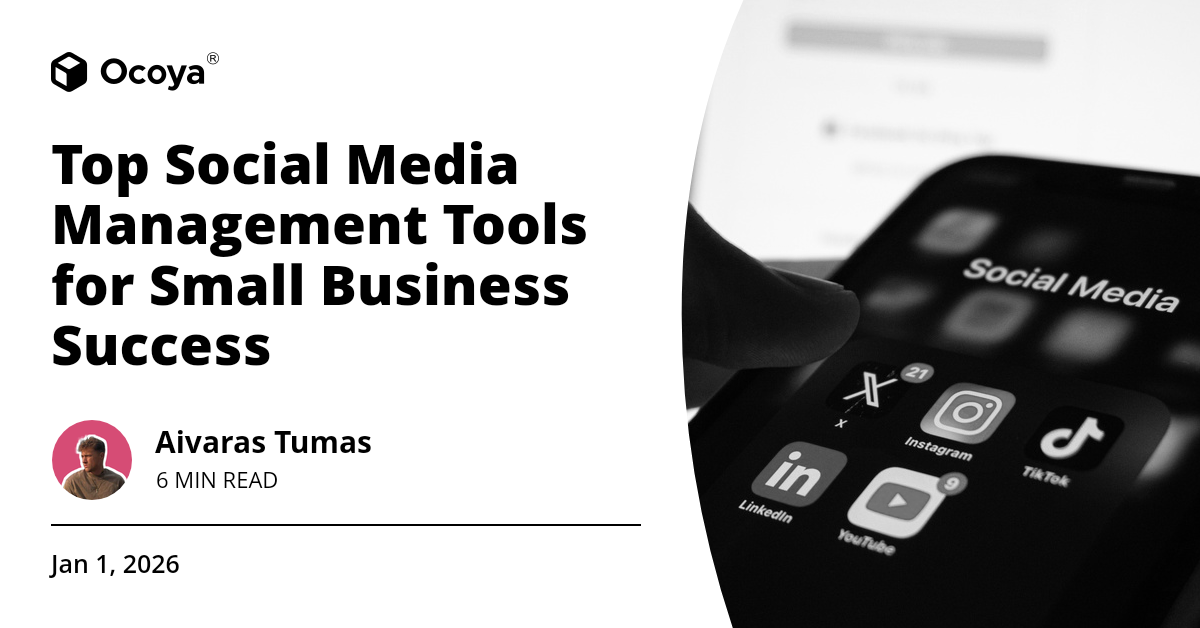
In the evolving landscape of digital marketing, mastering the art of social media engagement has become paramount for small businesses. Social media platforms are robust arenas where businesses can connect with their audience, amplify brand awareness, and drive engagement. However, managing multiple social media accounts, scheduling posts, crafting compelling content, and analyzing performance can be overwhelming without the right tools at your disposal. This article will delve deep into the best social media management for small business success, highlighting essential tools that simplify social media marketing and maximize efficiency.
Understanding the Importance of Social Media Management
For small businesses, social media is a lifeline that offers unprecedented opportunities to reach prospective customers, foster community, and build brand loyalty. Unlike larger companies, small businesses often operate on limited budgets and resources. This is where social media management tools come into play, leveling the playing field by providing the means to compete with larger brands. By automating and streamlining social media tasks, these tools save time, increase productivity, and allow small businesses to focus on other critical aspects of their operations.
Key Features to Look for in a Social Media Management Tool
Before diving into the best social media management tools for small businesses, it's important to understand the key features that a high-quality tool should offer:
Post Scheduling
A core feature of any social media management tool is the ability to schedule posts in advance. This ensures consistent posting, even during off-hours, and allows for better planning and strategizing of content.
Multi-Platform Capability
With numerous social media platforms available, a good management tool should support multiple channels including Facebook, Instagram, Twitter, LinkedIn, and Pinterest. This allows you to manage all your accounts from a single interface.
Content Creation and Curation
The tool should assist in creating and curating high-quality content, whether through templates, AI-powered suggestions, or integration with graphic design tools. Engaging content is key to capturing and maintaining audience interest.
Analytics and Reporting
Comprehensive analytics are crucial for understanding what works and what doesn't. Look for tools that offer detailed insights into post performance, engagement rates, follower growth, and other metrics that inform your strategy.
Collaboration Features
If your team includes multiple members, collaboration features such as multi-user access and role assignment can be invaluable. This ensures everyone can contribute effectively without stepping on each other’s toes.
Customer Support
Efficient customer support can make a significant difference, especially during crucial times or when facing technical issues. Look for tools that offer reliable support through various channels like chat, email, and phone.
Top Social Media Management Tools for Small Businesses
Here, we'll explore some of the top social media management tools tailored for small businesses, examining their features, pricing, and ease of use to help you make an informed decision.
Buffer
Buffer is a popular social media management tool known for its simplicity and ease of use. It's ideal for small businesses and works seamlessly across all major social media platforms. Buffer allows you to schedule posts, track and analyze performance, and engage with your audience all from one platform. The clean user interface ensures that even those with minimal technical expertise can navigate the tool efficiently.
Key Features:
- Comprehensive post scheduling and publishing
- In-depth analytics and reporting tools
- A simple, user-friendly interface
- Customer support through chat and email
Buffer Pricing:
Buffer offers a free plan with basic features and a variety of paid plans starting at $15 per month for more advanced capabilities.
Hootsuite
Hootsuite is another heavyweight in the social media management sphere, known for its powerful features and robust analytics. It's particularly valuable for small businesses that require comprehensive oversight of their social media channels. Hootsuite's dashboard is packed with tools that support post scheduling, content curation, and performance analysis.
Key Features:
- Multi-account management with a centralized dashboard
- Detailed analytics and custom reporting
- Advanced post scheduling capabilities
- Team collaboration tools
- 24/7 customer support via online chat
Hootsuite Pricing:
Hootsuite offers a limited free plan and premium plans starting at $19 per month.
Sprout Social
Sprout Social is tailored for businesses that need more features beyond basic post scheduling. Known for its strong emphasis on analytics, Sprout Social provides deep insights into your social media performance. The tool is ideal for small businesses aiming to scale their operations and require data-driven strategy formulation.
Key Features:
- Comprehensive analytics and custom reporting
- Advanced post scheduling
- High-quality customer support
- Social listening tools to monitor brand mentions and industry trends
- Team collaboration features
Sprout Social Pricing:
Sprout Social prices start at $99 per month, reflecting its advanced capabilities and in-depth features.
Ocoya
Ocoya stands out with its AI-driven approach to social media management, offering a comprehensive suite of tools for small business success. With Ocoya, you can create, schedule, and analyze content seamlessly across multiple platforms from one central dashboard. Its user-friendly interface, coupled with advanced AI capabilities, make it an ideal choice for businesses looking to optimize their social media strategy efficiently.
Key Features:
- Automated content creation powered by AI
- Scheduling posts across various platforms
- Detailed analytics to track performance
- User-friendly interface designed for efficiency
- Comprehensive customer support options
Sign up for a free trial today to explore how Ocoya can revolutionize your social media management.
Zoho Social
Zoho Social is part of the Zoho suite, a comprehensive range of tools designed to streamline business operations. Zoho Social offers robust social media management features with an emphasis on team collaboration and client management, making it a perfect fit for small businesses looking to expand.
Key Features:
- Post scheduling and publishing
- Collaboration tools for teams
- Detailed analytics and reporting
- Integration with Zoho CRM for client management
- Responsive customer support
Zoho Social Pricing:
Zoho Social offers a free plan and premium plans starting at $10 per month, making it an affordable option for small businesses.
Later
Later is particularly popular among small businesses focusing on visual content, like those on Instagram and Pinterest. It offers a simple drag-and-drop interface to plan and schedule visual posts, making the content planning process intuitive and straightforward.
Key Features:
- Visual content planning and scheduling
- Drag-and-drop calendar interface
- Hashtag suggestions and trending topics
- Analytics tools to track performance
- Customer support via chat and email
Later Pricing:
Later offers a free plan with limited features and premium plans starting at $12.50 per month.
CoSchedule
CoSchedule is a comprehensive marketing platform that includes social media management as a key component. It is designed to integrate seamlessly with your overall marketing strategy, providing a unified calendar for planning and scheduling your content. This tool is particularly beneficial for businesses that need to align their social media efforts with other marketing activities like content marketing, email campaigns, and more.
Key Features:
- Unified marketing calendar
- Social media scheduling and publishing
- Team collaboration tools
- Detailed analytics and reporting
- Integration with marketing automation tools
CoSchedule Pricing:
CoSchedule offers premium plans starting at $29 per month, reflecting its robust feature set.
Maximizing the Efficiency of Your Chosen Tool
Choosing the best social media management for small business needs is just the first step. To truly leverage these tools, it's essential to integrate them efficiently into your daily operations. Here are some tips on how to get the most out of your chosen tool:
Set Clear Goals
Start by defining clear social media goals that align with your overall business objectives. Whether it's increasing brand awareness, driving traffic to your website, or boosting sales, having clear goals will guide your social media strategy and help you measure success effectively.
Create a Content Calendar
Utilize the scheduling features of your chosen tool to create a comprehensive content calendar. This will ensure that your postings are consistent and strategically planned. Make sure to mix different types of content such as blog posts, videos, infographics, and user-generated content to keep your audience engaged.
Monitor Analytics
Regularly monitor the analytics provided by your social media management tool. This data is invaluable for understanding what type of content resonates with your audience and what doesn't. Use these insights to refine your strategy and continually improve your social media performance.
Engage with Your Audience
Engagement is the cornerstone of a successful social media strategy. Use your tool to track mentions, comments, and messages, and respond promptly to foster a strong connection with your audience. Engaged followers are more likely to become loyal customers and advocates for your brand.
Stay Updated with Trends
Social media is ever-evolving, with new trends and features emerging regularly. Stay updated with these trends and adapt your strategy accordingly. Most social media management tools offer features like trend tracking and social listening to help you stay ahead of the curve.
Wrapping Up
Navigating the complex world of social media marketing can be challenging, especially for small businesses. However, with the right social media management tools, you can streamline your efforts, save time, and maximize your impact. Whether you opt for Ocoya's AI-driven tools, the simplicity of Buffer, or the comprehensive features of Hootsuite and Sprout Social, the key is to find a tool that aligns with your business needs and goals.
Ready to elevate your social media game? Sign up for a free trial with Ocoya and discover how this powerful tool can transform your social media strategy, drive engagement, and help you achieve small business success.
Key Takeaways
- Identify your social media goals to streamline your efforts.
- Choose a tool that offers post scheduling, multi-platform capability, content creation, and analytics.
- Create a comprehensive content calendar to ensure consistent and strategic posting.
- Regularly monitor analytics to measure success and refine your strategy.
- Engage with your audience actively to build strong connections and brand loyalty.
- Stay updated with social media trends to keep your strategy relevant and effective.

Continue Reading
The latest handpicked blog articles.